How to clip a match and share it with your players
A clip is a short piece of the match: a score, a turnover, a tackle that should have been made. This is how to make one in Ardawn and get it in front of the players who need to see it.
Anyone on the panel can clip a match. Coaches and players alike.
Step by step
Open the match and find the moment
Click the timeline under the video to jump to that part of the game, then press Play and watch it.
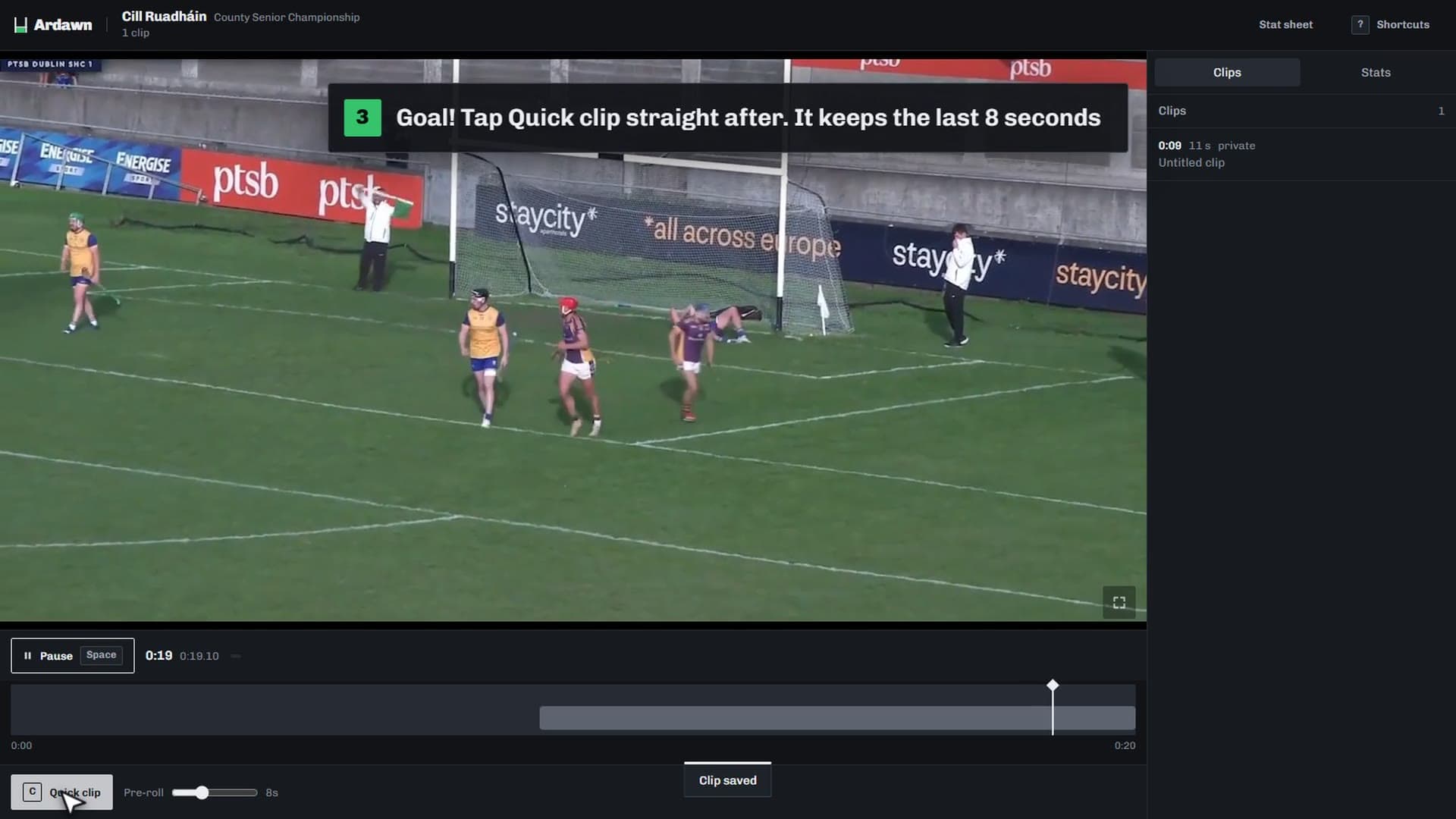
Press Quick clip straight after it happens
Or press C on the keyboard. Ardawn keeps the 8 seconds before and 3 after, because you only react once the moment has passed. The Pre-roll slider beside the button sets how far back it reaches, from 2 to 20 seconds.
Open the clip and say what happened
It appears in the list of clips beside the video. Give it a title the players will understand, such as the score it led to or the mistake in it.
Trim it
Move the start and the end so the clip begins and stops exactly where you want.
Choose who can see it
Every clip starts private, set to Just me. Choose All players to put it in front of the panel, or use Or pick people to send it to just the players involved.
Tag the players in it
Each player you tag finds the clip on their own page, so nobody has to scroll through the whole match for their moments.
Worth knowing
- On a phone
- Tap Clip that after the moment and a sheet opens with the same 8 seconds before and 3 after, ready to trim and name. Or tap to start a clip, let it play, and tap again to end it.
- Send a set of clips together
- Put clips into a playlist, such as every restart lost in the second half, and share it with the panel or a few players. Send it to players by name and you can see which of them have watched it.
- Watch it done
- Members can watch this as a short video, “Clip a moment from the match”, on the Help page once they sign in.